How to Check JAMB Mop-Up UTME Result 2026
The Joint Admissions and Matriculation Board (JAMB) has officially released the 2026 Mop-Up UTME results. Candidates who took part in the mop-up examination can now check their scores through the official JAMB result-checking portal.
The mop-up examination was conducted for candidates who could not complete the main UTME due to technical issues, biometric verification problems, and other approved reasons. Now that the results are out, the next step is to check your score and begin preparing for the admission process.
In this guide, you'll learn how to check your JAMB Mop-Up UTME result, what to do after checking your score, and answers to some of the questions candidates ask most often.
How to Check the JAMB Mop-Up UTME Result
Checking your JAMB Mop-Up result is easy and only takes a few minutes.
Check Through the JAMB Portal
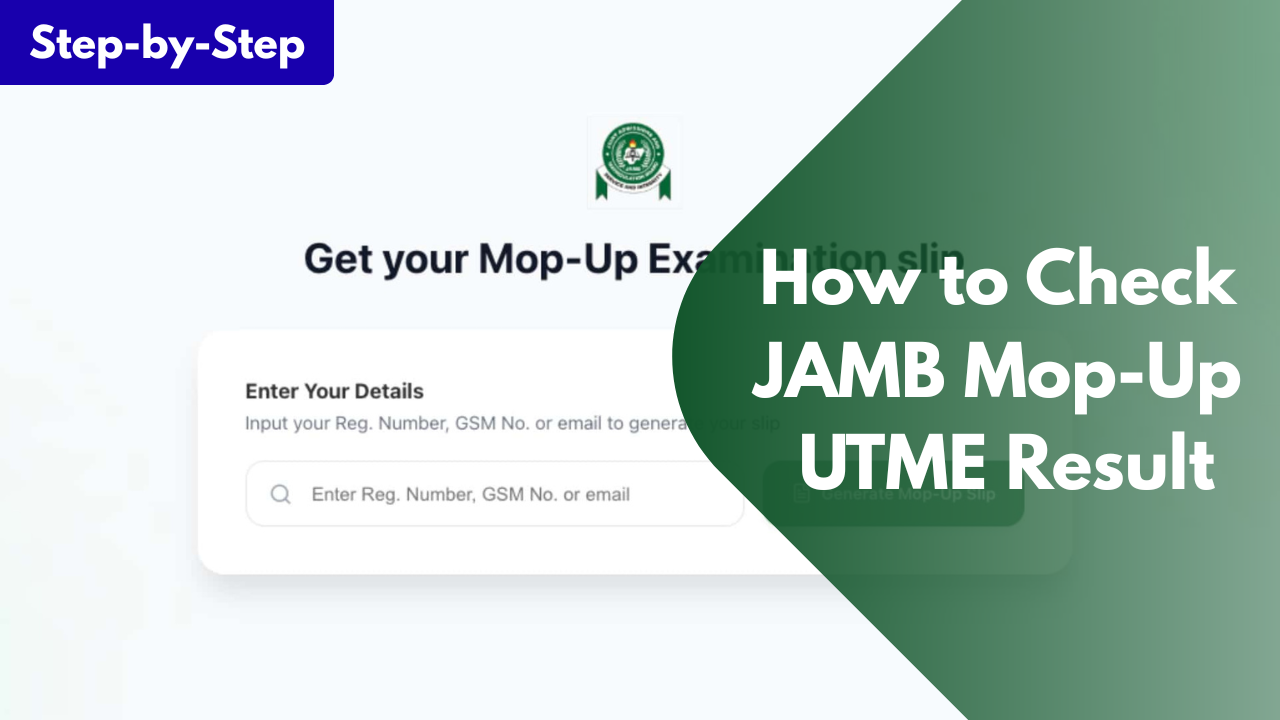
Follow these steps:
- Visit the official JAMB result-checking portal.
- Enter your JAMB Registration Number or the email address you used during registration.
- Click on Check Result.
- Your UTME result will appear on the screen.
- You can print your result or save a copy for future use.
Check Through SMS (If Available)
JAMB may also allow candidates to check their results through SMS.
To do this:
- Open the SMS app on the phone number you used for JAMB registration.
- Type UTMERESULT.
- Send it to the official JAMB shortcode.
- Wait for JAMB to send your result as a text message.
If the SMS service is available, ensure you have enough airtime before sending the message.
What to Do After Checking Your Result
After checking your result, don't stop there. There are a few more things you should do.
- First, look at your score carefully and compare it with the cut-off mark for the course and school you want to apply to. This will give you an idea of your admission chances.
- Next, print your official JAMB Result Slip if your school requires it during admission or Post-UTME registration. This document is different from the result displayed on the portal and is often needed during the admission process.
- You should also keep checking your JAMB CAPS and your school's admission portal for updates. Many institutions begin their admission process shortly after the release of UTME results.
- Finally, keep your registration number and result safe. You may need them several times before your admission process is completed.
Frequently Asked Questions (FAQs)
Has JAMB released the 2026 Mop-Up UTME result?
Yes. JAMB has released the results for candidates who participated in the 2026 Mop-Up UTME.
Can I use my Mop-Up UTME result for admission?
Yes. The Mop-Up UTME result is a valid JAMB result and can be used for admission into any institution, provided you meet the admission requirements.
How can I check my Mop-Up result?
You can check it through the official JAMB result-checking portal. If JAMB makes the SMS service available, you can also check it using your registered phone number.
Why can't I see my result?
This could happen if the portal is busy, your result is still being processed, or you entered the wrong details. Confirm your information and try again later.
Do I need to print my JAMB Result Slip?
Yes. Although it may not be needed immediately, many schools ask candidates to submit the official JAMB Result Slip during screening or admission.
Now that the 2026 JAMB Mop-Up UTME result has been released, eligible candidates should check their scores as soon as possible. Once you've seen your result, keep it safe and begin preparing for the next stage of the admission process.
If you found this guide helpful, share it with other candidates who wrote the JAMB Mop-Up examination. If you have any questions about checking your result or the admission process, leave a comment below, and we'll be happy to help.